📶 Wireless Printers Guide — India
Best Budget Wireless Printer in India (2026): Print from Anywhere, Pay Less
Cables are so 2015. In 2026, your printer should connect the same way your speaker and keyboard do — wirelessly, instantly, without any drama.
✎️ PickRyt Editorial
📅 Updated May 2026
⏰ 8 min read
🔍 5 models compared
You know what’s genuinely funny? In 2026 we stream 4K movies from satellites orbiting the earth and control home lights with our voice — yet printing a document still involves rummaging around for a USB cable that’s definitely in the wrong drawer.
That’s the problem a good wireless printer solves. Print a rental agreement directly from your phone while you’re on a call. Print your boarding pass from your laptop without moving from the sofa. Send a document to print at 11 PM without turning on your desktop.
This is normal now. And the best budget wireless printer in India in 2026 starts at under ₹4,000. You have no excuse to still be hunting for that cable.
How It Works
📶 How Wireless Printing Actually Works in Indian Homes
Before the recommendations, let me demystify wireless printing — because it means different things depending on the brand and model, and not all wireless methods are equal.
Not sure which printer to buy? Get matched in 60 seconds.
Our quiz asks about your budget, print volume and use case — and gives you a personalised recommendation from printers we’ve reviewed.
Find my perfect printer →
📡
Wi-Fi Printing
Printer connects to your home router. Any device on the same network can print. Most reliable method. Works on all phones, laptops, tablets. Essential feature.
🍎
AirPrint / Mopria
Apple’s AirPrint (iPhone/iPad) and Mopria (Android) let you print directly without installing any app. Just tap share → print. Available on all 2026 budget wireless printers.
🔵
Brand App
HP Smart, Canon PRINT, Brother iPrint&Scan — these apps add features like scan-to-phone, print from cloud, and remote setup. Quality varies by brand; HP Smart is the most polished.
💡 India-specific note: All budget wireless printers in this guide use 2.4 GHz Wi-Fi — compatible with virtually every Indian home router, including older BSNL and Jio models. If your router is 5 GHz only (rare on budget routers), check the spec sheet before buying.
Top Picks
🏆 Best Budget Wireless Printers in India (2026)
All 5 models below are verified available in India with current pricing. Prices correct as of May 2026.
⭐ PickRyt Top Pick — Cheapest Wireless
Wi-Fi + AirPrint
India’s cheapest wireless AIO
Print + Scan + Copy
Colour printing ✓
Canon PRINT app
Cartridge — occasional use only
At ₹3,499 — the lowest price for a wireless all-in-one printer in India — the Canon PIXMA E470 delivers Wi-Fi, mobile printing via the Canon PRINT app, AirPrint, colour printing, scanning, and copying. Canon’s wireless setup is simple, print quality for documents is good, and the compact design fits on a small desk or shelf. The one important caveat: ink cartridge running costs are high. This printer makes financial sense for students and home users printing fewer than 30 pages a month. For regular printing, the ink cost will very quickly exceed the machine’s purchase price.
✓ Pros
- India’s cheapest wireless all-in-one at ₹3,499
- Wi-Fi + AirPrint + Canon PRINT app
- Print + scan + copy in colour
- Compact — fits anywhere
- Easy wireless setup
✗ Cons
- High cartridge running costs — occasional use only
- No auto-duplex
- Slow colour print speed
- Not for more than 30 pages/month
Best for: Students and occasional home users who want wireless print+scan+copy at the absolute lowest entry price in India.
Avoid if: You print regularly — cartridge costs will exceed the printer’s price within 2–3 months. The HP Smart Tank 525 (₹13,999) or Brother DCP-T426W (₹15,499) are the right step-ups.
Want a personalised printer recommendation?
Tell us your budget and print needs — get a matched pick in 60 seconds.
Find my perfect printer →
Wi-Fi + AirPrint
Ink Tank — Very low running cost
Print + Scan + Copy
HP Smart app — best in class
No auto-duplex
The HP Smart Tank 525 is the answer for buyers who want wireless printing with HP’s excellent Smart app and dramatically lower running costs than cartridge models. The ink tank system slashes cost-per-page — from the ₹2–₹4 cartridge rate to very low ink tank economics. Wi-Fi, AirPrint, Mopria, and the HP Smart app all work smoothly. HP Smart is the most polished mobile printing app in this price range — scan-to-phone, cloud printing, and wireless setup are all genuinely seamless. The caveat: no auto-duplex, no ADF.
✓ Pros
- HP Smart app — best mobile printing experience here
- Wireless ink tank — very low running cost
- Wi-Fi + AirPrint + Mopria
- Print + scan + copy wirelessly
- Reliable HP wireless stability
✗ Cons
- No auto-duplex printing
- No ADF for multi-page scanning
- Higher upfront price than cartridge options
Best for: HP ecosystem users and WFH professionals who want wireless ink tank printing with the best mobile app experience in this price range.
Avoid if: You need auto-duplex or ADF scanning — the Brother DCP-T426W (₹15,499) has similar wireless ink tank economics with a more stable Wi-Fi reputation.
Wi-Fi + AirPrint + Mopria
30 PPM — Fastest here
Auto-duplex ✓
Low toner cost
Print only — no scan
The Brother HL-L2351DW is the wireless printer for people who print documents, not photos. Thirty pages per minute over Wi-Fi — the fastest in this guide. Auto-duplex halves your paper usage automatically. AirPrint and Mopria work without any app. Toner doesn’t dry out when you ignore the printer for two weeks. If your wireless printing is 90% text — assignments, reports, government forms — this laser delivers more pages faster at a lower cost per page than any inkjet here. The mono-only limitation is real but for most Indian homes it simply isn’t a limitation at all.
✓ Pros
- 30 PPM — fastest wireless printer in this guide
- Wi-Fi + AirPrint + Mopria for all devices
- Auto-duplex — saves paper automatically
- Low toner cost per page for text
- Toner doesn’t dry out during idle periods
- Compact for its feature set
✗ Cons
- Monochrome only — no colour printing
- Print only — no wireless scan or copy
- Not suited for photo printing
Best for: Students and professionals who primarily print text documents wirelessly and want the fastest, most economical wireless text printing under ₹15,000.
Avoid if: You need colour printing or wireless scanning — the HP Smart Tank 525 (₹13,999) or Brother DCP-T426W (₹15,499) cover those needs at similar prices.
Wi-Fi + AirPrint
Ink Tank — Very low running cost
Print + Scan + Copy
Colour printing ✓
No auto-duplex
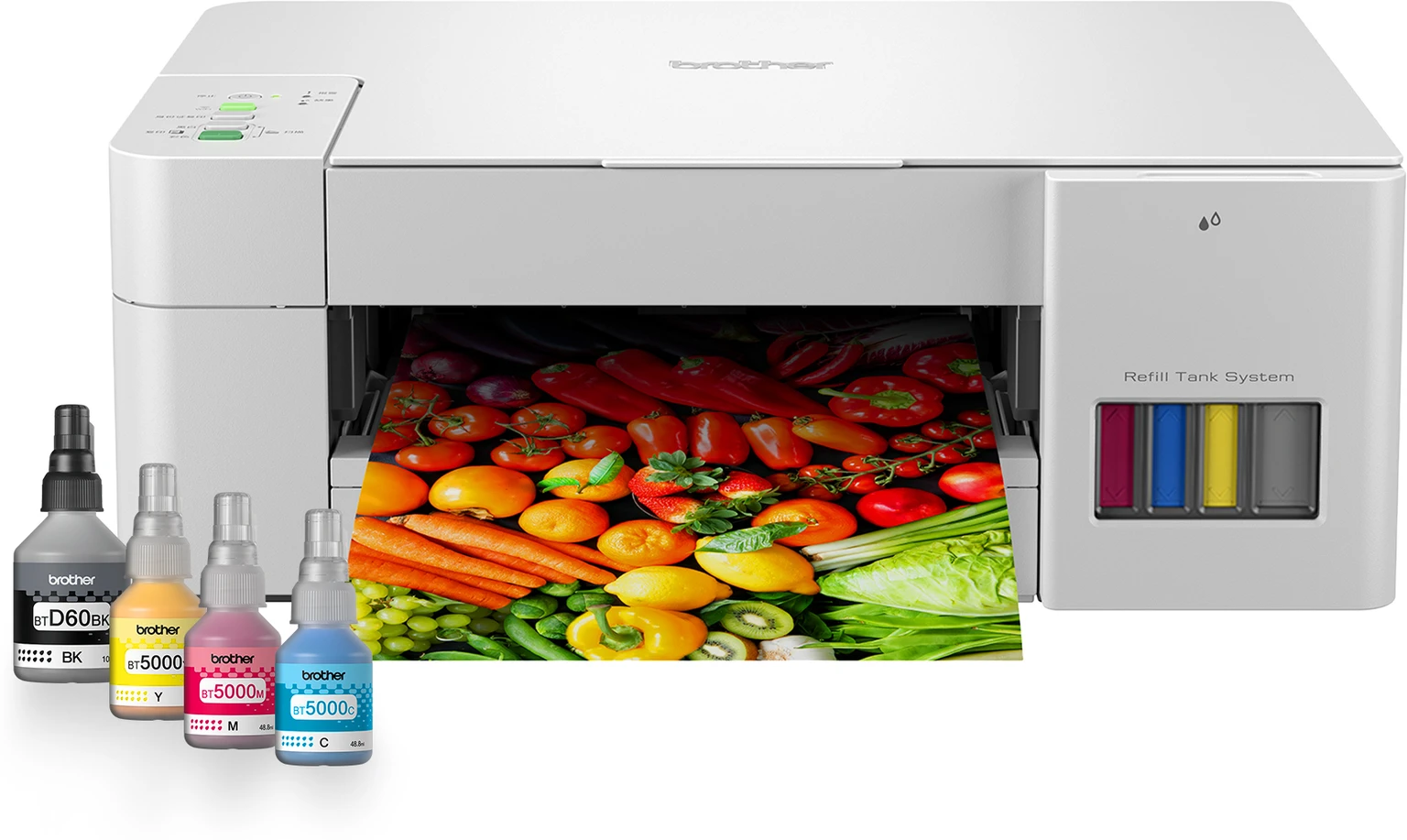
The Brother DCP-T426W makes a straightforward case: wireless ink tank printing with Brother’s reputation for stable Wi-Fi connectivity and solid build quality. The ink tank system delivers very low cost per page for both black and colour. Wi-Fi, AirPrint, and the Brother iPrint&Scan app handle mobile printing reliably. Brother’s wireless implementation is noted for stability across Indian home networks — fewer “printer offline” incidents than some competitors. Print, scan, and copy all work wirelessly. The design is functional rather than premium, but that’s a reasonable trade-off at this price for the build quality you get.
✓ Pros
- Stable and reliable Wi-Fi — fewer offline incidents
- Very low ink cost — black and colour
- Solid build quality for the price
- Print + scan + copy wirelessly
- Consistent wireless print output
✗ Cons
- No auto-duplex printing
- Basic flatbed scanner — no ADF
- Design is functional, not premium
Best for: Home users and small offices that want reliable wireless ink tank printing with the most stable Wi-Fi performance in this guide.
Avoid if: You need auto-duplex or ADF scanning for office workflows — the Pantum M6559NW (₹15,999) adds ADF scanning at a similar price.
Wi-Fi + AirPrint
Best colour quality in guide
Ink Tank — Very low running cost
Print + Scan + Copy
No auto-duplex
The Canon PIXMA G3060 is the wireless printer for buyers who care about colour quality — not just functional colour, but accurate, photo-friendly colour from an ink tank system. Canon’s colour accuracy leads this price tier for presentations, project covers, and family photos. The ink tank system delivers very low cost per page despite the quality output. Wi-Fi, AirPrint, and the Canon PRINT app work reliably. If you regularly print colour work wirelessly and want the best colour output available in an ink tank at this price, the G3060 is the clear answer.
✓ Pros
- Best colour accuracy in this guide
- Good for photo printing and colour presentations
- Ink tank — very low running cost
- Stable Wi-Fi + AirPrint + Canon PRINT app
- Print + scan + copy wirelessly
✗ Cons
- Highest price in this guide at ₹18,999
- No auto-duplex printing
- No ADF for multi-page scanning
- Prioritises quality over office automation features
Best for: Home users and creators who want superior wireless colour printing and photo output with ink tank economics over the long term.
Avoid if: Colour quality isn’t your priority — the Brother DCP-T426W (₹15,499) covers wireless ink tank printing at ₹3,500 less for standard document needs.
Final Verdict
✅ Our Recommendation
Cheapest wirelessCanon PIXMA E470 (₹3,499) — Wi-Fi + colour + scan + copy. India’s most affordable wireless AIO. For occasional use only.
Best HP wirelessHP Smart Tank 525 (₹13,999) — wireless ink tank + best HP Smart app experience. Very low running cost.
Fastest wirelessBrother HL-L2351DW (₹14,499) — 30 PPM + Wi-Fi + auto-duplex. Best for wireless text document printing.
Most stable Wi-FiBrother DCP-T426W (₹15,499) — wireless ink tank AIO with Brother’s proven Wi-Fi reliability.
Best colour qualityCanon PIXMA G3060 (₹18,999) — best wireless colour output for photos and presentations.
The cable drawer is officially redundant. In 2026, a genuinely good wireless printer starts at ₹3,499. Pick your use case from the guide above, match it to a printer, and let the USB cable become someone else’s problem.
Still not sure which wireless printer fits your setup?
Tell us your monthly print volume and whether you need colour — get a matched pick in 60 seconds.
Find my perfect printer →